New to Iron Rebellion? A Beginner’s Guide to VR Mech Combat

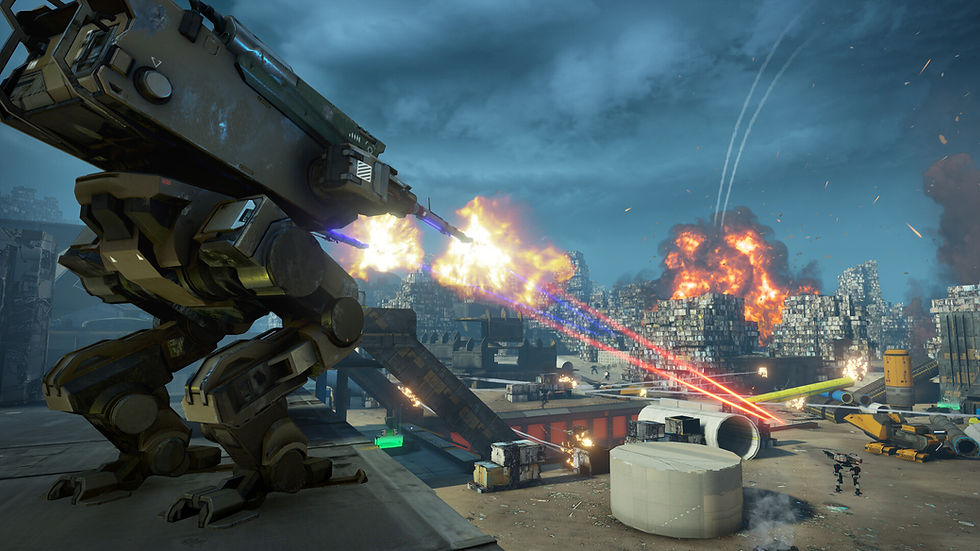
So, you just bought Iron Rebellion.
Welcome to the pilot's seat.
Iron Rebellion is a seated VR mech combat game built around a fully interactive cockpit. Instead of controlling your mech through a traditional gamepad or a handful of button commands, you'll physically interact with the systems around you as you move, fight, communicate, capture objectives, and work with your team.
That also means your first few minutes can feel like a lot.
Don't worry about mastering every switch, weapon, mech, augment, and battlefield system immediately. This guide will walk you through what you actually need to know to get into your cockpit, survive your first matches, and start figuring out what kind of pilot you want to be.
First, Get Comfortable.
Iron Rebellion Is Built for Seated VR
Grab a chair.
Seriously.
Iron Rebellion is designed around seated VR gameplay because you're not running around the battlefield yourself; you're sitting inside the cockpit of a giant war machine.
Your physical position naturally becomes the pilot's position inside the mech. The controls, displays, weapons systems, and switches you interact with are arranged around your virtual cockpit, so sitting isn't a compromise to the experience. It's part of it.
That makes Iron Rebellion particularly well-suited for players who prefer VR games they can play sitting down or don't have the space, or desire, for a room-scale VR setup.
Once you're comfortable, it's time to start the mech.
Step 1: Learn How to Start Your Cockpit
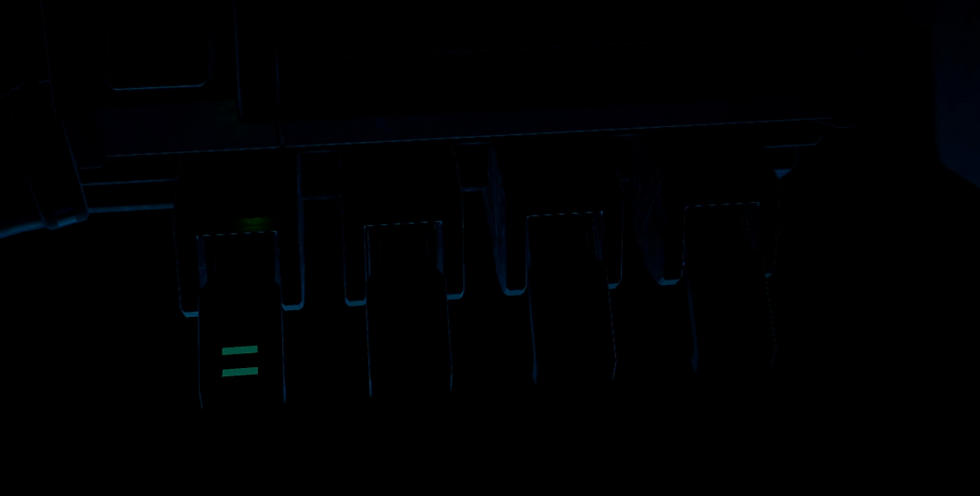
When you first spawn into your mech, four startup switches bring your systems online.
Flip all four.
If your cockpit still appears dark, make sure you haven't missed one. New pilots commonly overlook the third switch. If everything is powered and you still can't see much, there's also a chance you've spawned facing a wall.
These switches matter beyond startup, too. Certain attacks can shut your mech down and force you to reboot your systems in the middle of combat, so learning where they are now will pay off later.
Your other important early-game tool is your left wrist menu. Roll your left arm over as though you're checking a watch to access your scoreboard, audio settings, microphone controls, tutorial options, loadout information, and other match settings.
You don't have to memorize the entire cockpit on day one.
Start with:
Your four startup switches
Movement and aiming
Your weapons
Your wrist menu
Your ping control
Your mech abilities
Once those feel natural, start exploring everything else.
For a more detailed walkthrough of your cockpit, read our Iron Rebellion Cockpit Basics FAQ.
Step 2: Don't Skip the Tutorials Just Because You Want to Shoot Something
We understand the temptation.
You're sitting in a giant robot with the biggest guns you've ever seen; we get it. But spend a little time learning the cockpit before charging into battle.
When you launch the game, you'll launch into the main tutorial; spend some time there. Get familiar, get comfortable. Remember, you can also come back here anytime.
Once you get in the game, there are also tutorial videos placed throughout that can help you identify the systems around you, and you can turn those videos off later once you're comfortable. Your goal isn't to memorize everything before playing. It's simply to understand enough that, once other mechs start shooting at you, you aren't trying to figure out which switch makes your mech move.
Step 3: Start With the Breaker
There are six battlefield roles to learn in Iron Rebellion:
Breaker is the versatile assault mech and your starting platform. It's capable in a wide range of situations and is a great place to learn the fundamentals.
Recon is a fast intelligence platform that can deploy scanners and reveal enemy activity.
Guardian is a heavily armored defensive platform capable of deploying energy shields to protect itself and its team.
E-Pulse uses electromagnetic attacks to disable enemy mech systems and break defensive positions.
Reinforcer is a mobile support platform that can resupply teammates, deploy defensive turrets, and provide additional deployment options.
Infiltrator specializes in stealth, flanking, and attacking from behind enemy lines.
You do not need to decide on your permanent "main" immediately. In fact, we'd recommend that you don't.
Different maps, enemy compositions, objectives, and team setups reward different approaches. Learning to change roles when the battlefield changes will make you a much stronger pilot.
For your first games, Breaker with dual Spitfires is an excellent all-around combination. Once you're comfortable fighting, begin experimenting.
You can dive deeper into every class and start thinking about builds in our Iron Rebellion Mechs & Loadouts guide.
Step 4: For Your First Match, Try Conquest
Iron Rebellion currently offers several PvP match types, but Conquest is a good place to start. In Conquest, both teams fight to control capture points across the battlefield. Controlling more territory drains the opposing team's tickets, while destroying enemy mechs also contributes to your team's progress.
Why start there?
Because you can be useful even before you're great at mech combat.
Capture objectives. Follow experienced teammates. Defend territory. Ping enemies. Learn the map. Pay attention to what your team needs. You don't have to rack up the highest kill count to contribute.
What about the other match types?
Here's a quick rundown:
Team Death Match: Two teams. One objective: destroy enough enemy mechs to reach the kill target first.
Uplink: An attacker-versus-defender mode where objectives must be captured sequentially. It requires more coordination than Conquest and introduces interactive objective mechanics inside the cockpit.
Death Match / Free For All: No teams. Every pilot is a target.
Gun Game: Everyone starts with the same mech and weapon. Get a kill and your weapon changes. The first pilot to make it through the full weapon rotation wins.
You can learn how each works in our full Iron Rebellion Game Modes and Match Types guide.

Step 5: Learn One Habit Immediately: Always Ping
If there's one battlefield habit we'd like every new pilot to learn early, it's this:
See an enemy? Ping them. Pinging an enemy provides useful battlefield information and, more importantly, shares that information with your teammates.
How? Use the B button.
Iron Rebellion isn't only about who can aim fastest. Information matters. The pilot who identifies an enemy position, reveals a flanking mech, captures an undefended objective, deploys a useful scanner, or protects an advancing teammate can change the outcome of a match without topping the kill leaderboard.
Which brings us to another important lesson.
You Don't Have to Win Every Fight
Iron Rebellion is tactical.
If an experienced player is repeatedly turning your mech into scrap metal, don't keep walking directly toward them and hoping attempt number six will somehow be different. Change something.
Try another route. Change your loadout. Bring a teammate. Capture a different objective. Switch mech classes. Ping their position so your team knows where they are.
You can even change your loadout after your mech is destroyed by selecting 'LOADOUT' before redeploying.
Your mech is a tool. Pick the right one for what the battlefield needs.
Our Basic Gameplay & Combat FAQ covers abilities, Mass, reloading, capture points, targeting, friendly fire, combat damage, hosting, and several other systems you'll encounter as you play.
A Few Things New Pilots Usually Ask
Why isn't my microphone working?
Your mic is muted by default when you enter a match or lobby. You can unmute it using the microphone icon in your cockpit or next to your name in the lobby.
Iron Rebellion uses open communications, so remember that when your microphone is live, other players can hear what's happening around you.
What's Mass?
Mass is a resource used to power many mech abilities.
You'll find Mass and ammunition from the same battlefield crates, although they're separate resources.
Why am I suddenly moving slowly?
Several systems can limit your movement, including having an ability armed, activating repair mode, using a scope, or being hit by an EMP.
My mech shut down. What happened?
You've probably been hit by an EMP.
Remember those four startup switches from earlier?
Time to use them again.
Is there friendly fire?
Yes. Check your targets before firing, especially when using explosives, artillery, or airstrikes. If you hit a teammate, you will receive a warning - multiple violations could have you removed from the fight.
How do I reload?
Weapons automatically reload when a magazine is emptied. You can also manually top off a magazine by pulling down on the right thumbstick.
There are many more answers in our Cockpit Basics and Basic Gameplay guides.
Can I play with friends?
Kind of. If you're trying to meet up with friends, one of the easiest methods is to share your Sector Number. Your friends can use that number to identify your match in the server list. You'll find the Sector Number in the lobby and at the top of your cockpit UI while you're in a match.
For a complete walkthrough, see How to Build a Match With Friends.
And if you don't already have a squad, the Iron Rebellion Discord community is a good place to find one. Veteran pilots regularly help newcomers learn the game, test loadouts, and understand systems that might not be obvious during your first few deployments. And because Iron Rebellion supports cross-platform multiplayer (PCVR and Quest), there is always a pilot around.
What about PvE?
Right now, Iron Rebellion's live experience is focused on multiplayer PvP combat. But the battlefield is getting bigger.
We're currently developing PvE (Faction Wars), which is intended to connect individual battles into a larger conflict between factions. We're experimenting with territory, resources, supply lines, progression, and different types of worlds that could affect what your faction has access to. The larger idea is that a battle won't always exist in isolation. Capturing or defending a location could eventually matter because of what that territory provides to the wider war.
Want to Watch Instead? Learn From GenericBeard
Some cockpit systems are easier to understand when you can actually see another pilot use them.
Community member GenericBeard has created an extensive collection of Iron Rebellion guides, tutorials, gameplay videos, and new-pilot resources. In fact, his community guides helped form the foundation for many of the FAQ resources on this site.
If you'd rather watch an experienced pilot demonstrate a mechanic than read another explanation of it, visit GenericBeard's YouTube channel.
His New Pilot Survival Guide is an especially good next stop once you've completed the in-game tutorial and started experimenting with your first matches.
Your First-Deployment Checklist
If you remember nothing else before your first few matches, remember this:
Sit down and get comfortable. Your chair is the pilot's seat.
Flip all four startup switches.
Learn where your wrist menu is.
Start with Breaker and experiment from there.
Try Conquest while you're learning.
Ping enemies. Seriously. Ping them.
Play the objective instead of chasing every fight.
Change your mech or loadout when something isn't working.
Use comms and work with your team.
Don't worry about mastering everything immediately.
Iron Rebellion has a lot of systems because piloting the mech is the game.
That's also what makes it rewarding. The switches that feel unfamiliar today become instinctive. You'll stop looking around for controls and start reaching for them automatically. You'll recognize enemy mechs by what they're trying to do. You'll build loadouts for specific situations. You'll learn when to fight, when to capture, when to support, and when to get out of the way of the giant glowing EMP mech headed directly toward you.
So grab a chair, climb into the cockpit, and start flipping switches.
We'll see you on the battlefield.


Comments